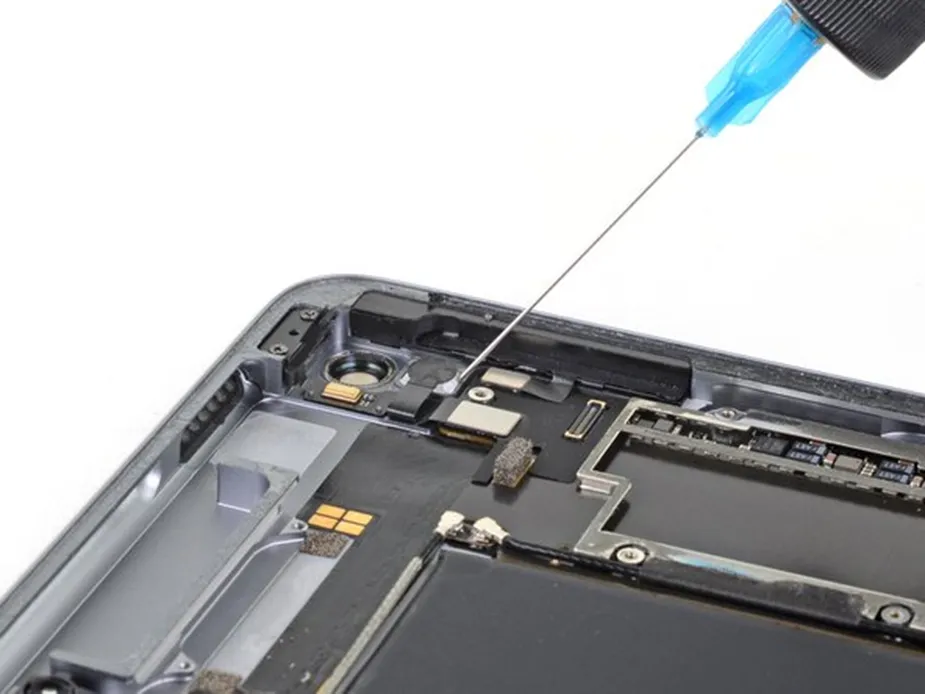
A button may be one of the smallest parts of an iPad, yet when it stops responding, the entire experience can feel disrupted. The good news is that many button-related issues can be identified early, and some can be resolved with straightforward troubleshooting. Understanding the common causes also helps you decide when professional iPad Button Repair is the safer option. Regular use, accidental drops, dust accumulation, moisture, and general wear can all affect button performance over time. Recognising early warning signs, such as stiffness, delayed response, or inconsistent clicking, can help prevent minor problems from becoming more serious. Knowing when to troubleshoot and when to seek expert assistance can also protect the device from further damage.
Common iPad Button Problems
iPads can experience several types of button trouble. The power or top button may fail to respond, volume controls may become stiff, or a button may work only when pressed from a particular angle. In some cases, the button feels loose, unusually hard, or completely stuck. These symptoms can appear gradually through everyday use or develop suddenly after an accident. Another concern is intermittent operation. A button might respond correctly several times and then stop without warning. This can point to debris, wear, moisture exposure, or an internal connection issue. Because iPad generations use different hardware designs, the exact cause cannot always be identified from the exterior.
1. Unresponsive Power or Top Button
The top button is essential for locking the display, waking the device, and managing certain power functions. If it becomes unresponsive, users may need to rely on software-based controls. Before assuming the physical switch is damaged, check whether the iPad is responding normally elsewhere. Restarting the device, checking for software updates, and testing AssistiveTouch can help identify whether the problem is software-related. If the button remains unreliable after these steps, the issue may involve the physical mechanism, internal flex connection, or surrounding components. Avoid repeatedly pressing a damaged button with excessive force. Doing so can worsen mechanical damage and potentially affect nearby internal parts.
2. Stiff, Loose, or Stuck Volume Buttons
Volume buttons receive frequent use, particularly when an iPad is used for video calls, music, gaming, or media consumption. Dust and debris around the button can sometimes make pressing it feel different. A drop can also shift or damage the button mechanism. If the control feels stiff, inspect the exterior carefully and keep the area clean and dry. Do not insert sharp objects around the button, as this can damage internal components. If one side responds differently, professional inspection is advisable.
3. Buttons That Work Only Sometimes
Intermittent button behaviour can be particularly confusing. The control may work after several presses but fail again later. This can indicate a worn component, a loose internal connection, or damage caused by impact or moisture. Keep track of when the problem occurs, such as after prolonged use or when the button is pressed from a certain direction. These details can help a technician narrow down the cause more efficiently.
When Software Troubleshooting Can Help
Not every button-related complaint means the hardware needs replacement. If the iPad recently updated, froze, or developed unusual behaviour alongside the button issue, software troubleshooting is worth attempting. Start by restarting the device and installing available system updates. You can also use accessibility features such as AssistiveTouch to access certain controls without relying on physical buttons. If the virtual controls work normally while the physical button does not, that can provide a useful clue that the problem is hardware-specific. Software solutions are not a substitute for a physically damaged button. If the issue follows a drop, liquid exposure, or visible damage, arrange a professional assessment.
When Professional Repair Is the Better Choice
A damaged button can involve more than the visible switch. Internal connectors, brackets, flex cables, or surrounding components may also be affected. Opening an iPad without suitable tools and experience can create additional problems, especially because its compact construction leaves little room for error. Professional inspection is sensible when the button is completely dead, displaced, damaged after a fall, or accompanied by other symptoms. A qualified technician can diagnose the fault before recommending a repair. Professional assistance can also help identify hidden damage early, prevent further complications, and ensure the appropriate components are repaired or replaced using safe, reliable techniques.
How to Reduce Future Button Damage
Prevention starts with everyday handling. Use a protective case that covers vulnerable edges without interfering with the controls. Keep the iPad away from moisture, dust, and excessive heat. When pressing a button, use normal pressure rather than forcing it when it feels resistant. It is also useful to avoid carrying the tablet loosely with keys or other hard objects that could press against the controls. If a button begins feeling different, address the problem early instead of waiting until it stops functioning completely.
Choosing a Reliable Repair Service
When repair becomes necessary, the quality of the service matters as much as the diagnosis. Look for technicians who inspect the device before starting work, explain the repair clearly, and communicate costs before proceeding. Privacy is also important when the iPad contains personal, academic, business, or financial information. For users seeking iPad Pro Repair Dubai, it is worth choosing a provider familiar with Apple devices and different iPad models. A capable repair team should be able to distinguish between a button mechanism problem and a broader hardware issue rather than recommending a replacement without proper assessment.
Conclusion
Physical buttons may seem simple, but their reliable operation is essential to comfortable iPad use. Stiff controls, intermittent responses, stuck buttons, and complete failure can result from everyday wear, debris, accidental impact, moisture, or internal component problems. Basic troubleshooting can sometimes identify a software-related issue, but persistent physical symptoms deserve professional attention.
For dependable support, 800fixing is a Dubai-based gadget repair provider that works with iPads and other major personal devices. Their approach includes diagnostic assessment, clear communication about repair requirements, quality replacement components, and options such as onsite assistance or pickup and delivery across the UAE, depending on the service and location.